Unapplied credit memos in invoice and credit memo history
Moderate Upgrade
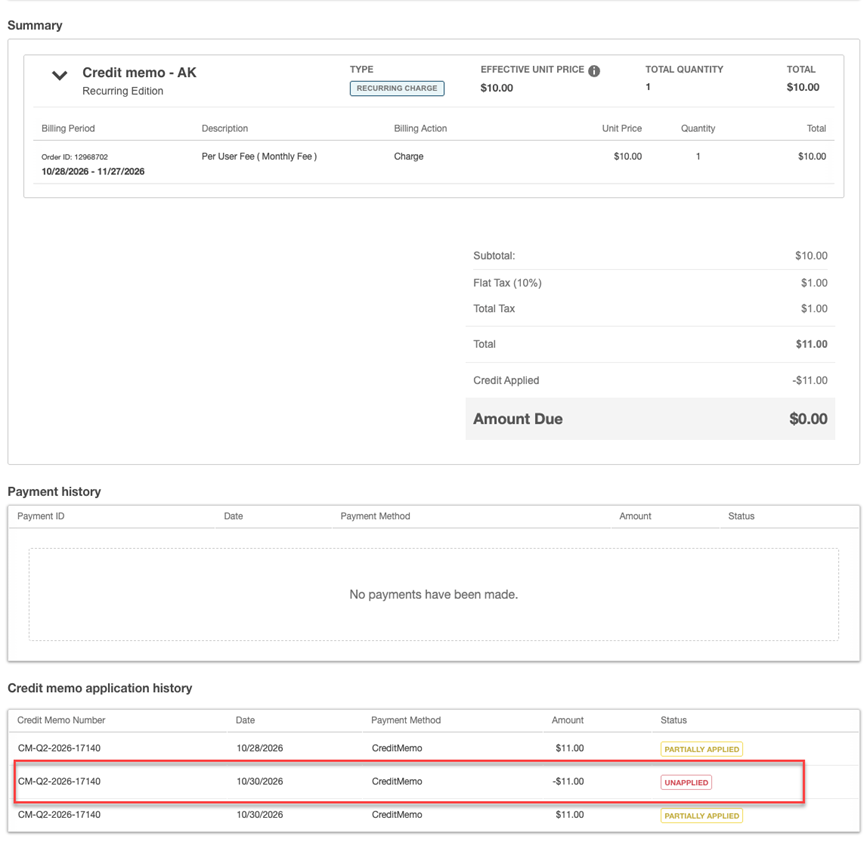
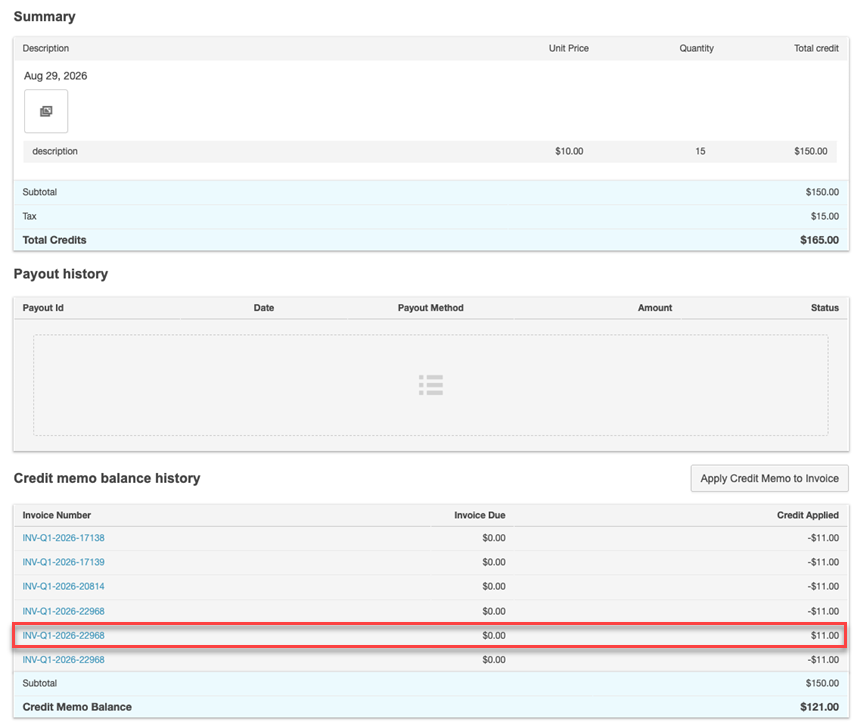
Invoice and credit memo history now shows Unapplied transactions alongside applied ones. Previously, only applied credit memos appeared in the invoice detail view and related history, so unapply actions were invisible and the Credit Applied total could overstate balances when a credit was unapplied and applied again.
Key highlights
- Invoice details and credit memo details show applied and unapplied transactions, with the event date and an Applied, Partially Applied, or Unapplied status for each row.
- The Credit Applied total sums only the latest applied amounts, so history and totals stay accurate after apply and unapply actions. The same unapplied history appears on the credit memo detail view for invoices that the credit memo was applied to or unapplied from.
- Applied and unapplied entries are combined and sorted by date, making each credit memo’s history easier to follow.
UI updates
- Credit memo application history on the invoice page
- Credit memo balance history on the Credit Memo detail page
Prerequisites
None.
Feature enablement
This feature is enabled by default for marketplaces that use credit memos.
Setting enablement
No setting enablement is required.
Documentation
Refer to the following:
Was this page helpful?
Tell us more…
Help us improve our content. Responses are anonymous.
Thanks
We appreciate your feedback!